From Reactive to Proactive Support: Launching Automations
For as long as customer support has existed, it has been a fundamentally reactive job. A customer hits a problem, sends a message, and waits for a response. Your team picks up the ticket, works on it, and resolves it. The whole operation is shaped around responding to things that have already gone wrong.
That model has a ceiling. No matter how efficient you are, the work only starts after a customer is already frustrated enough to write in. You’re always one step behind, stuck fighting your backlog and discovering problems via angry emails.
Automations is our way to break through that ceiling. It’s the way to detect and correct issues, and the operational problems that cause them, before customers write in.
What Automations does
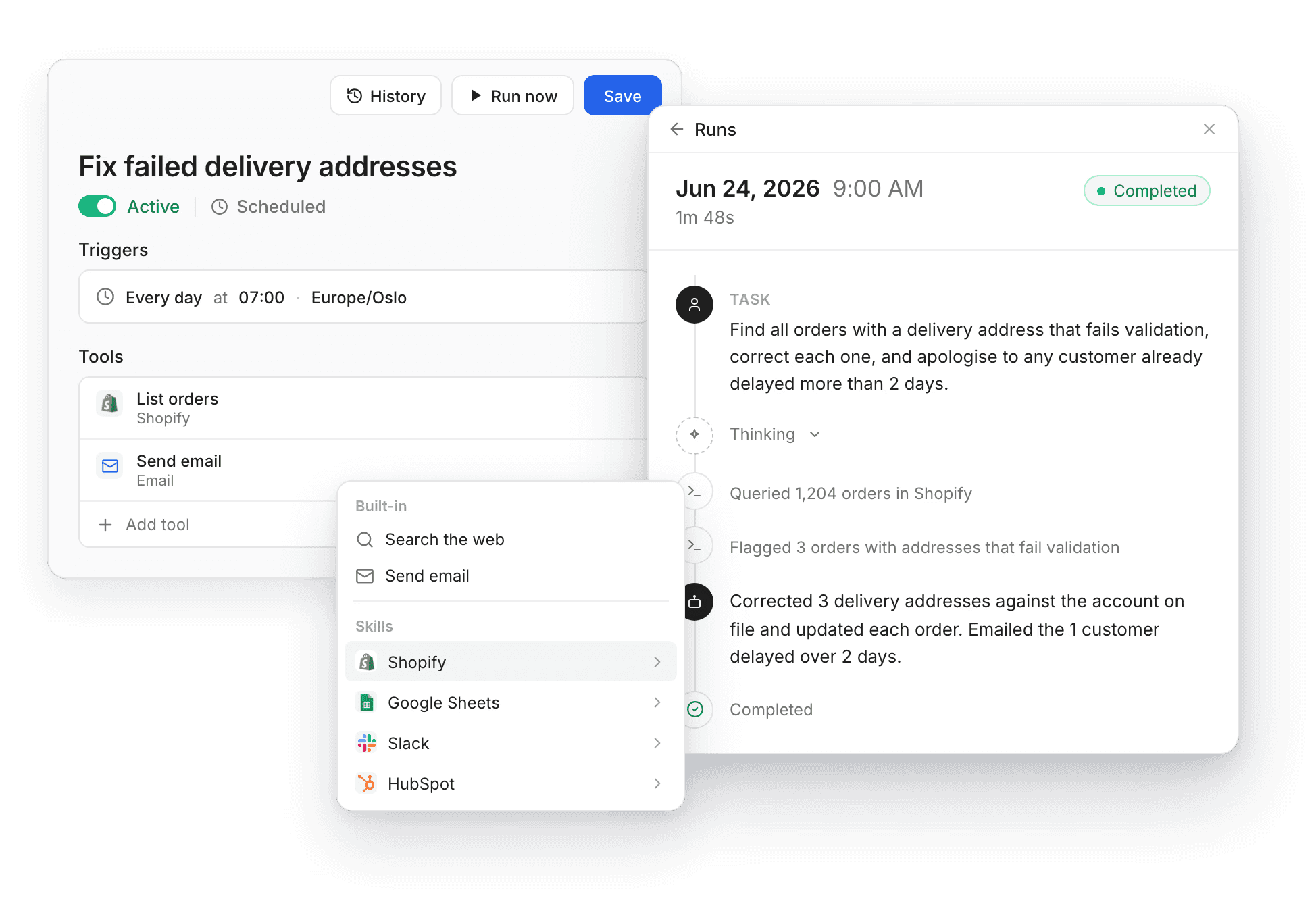
An automation is a simple instruction you give to Mimir, our AI agent, that runs on its own schedule. You describe what you want to happen, pick the tools the agent is allowed to use, and decide how often it should run.
A simple example of an automation:
Find all orders in our ERP with a delivery address that fails validation. For each one, correct it against the address on the customer’s account and update both the ERP and our delivery system. If the bad address has already caused a delay of more than 2 days, send the customer an email explaining what happened and apologising.
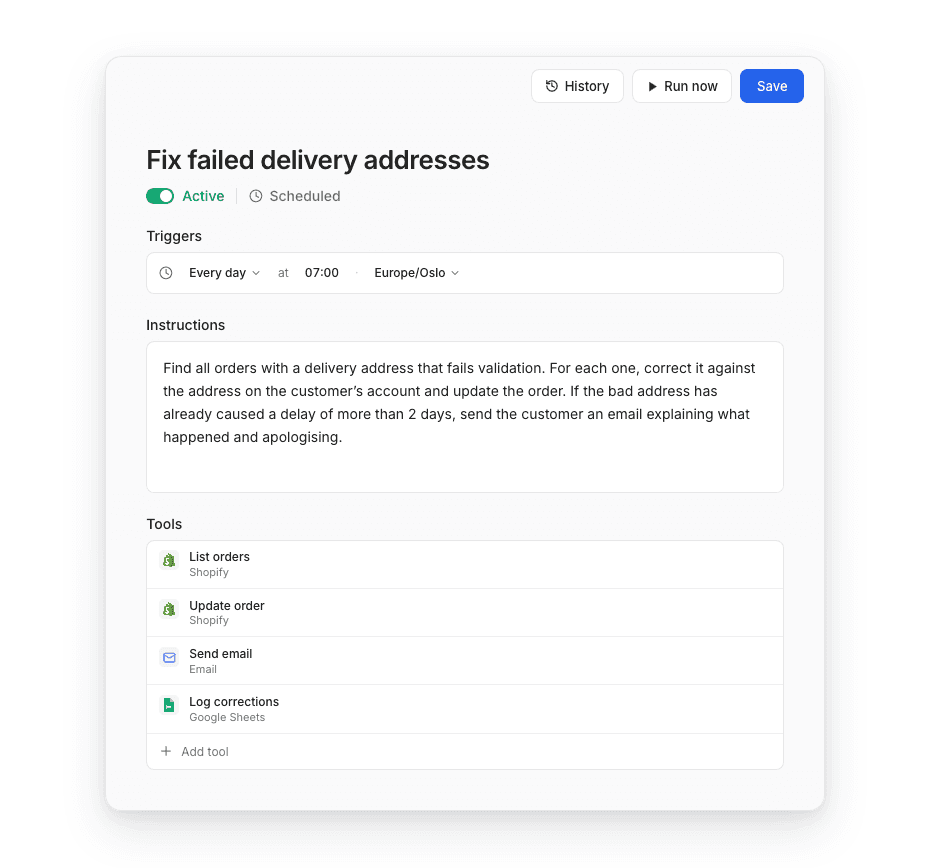
That single sentence becomes a repeatable, scheduled job. Mimir pulls the orders, isolates the ones with broken addresses, corrects them in both systems, and reaches out to the affected customers to apologise.
Instead of sending an angry email 3 days later, the customer never even knows there was a problem.
How it works
Three pieces define every automation:
Triggers: when it runs.
Automations run on a schedule you set: daily at a specific time, or weekly on a chosen day.
Instructions: what it does.
You write what you want in plain language, the same way you’d brief a teammate.
Tools: what it’s allowed to touch.
You choose exactly which capabilities the agent can use, so an automation can only ever do what you’ve explicitly allowed.
Automations can tap into any integration you’ve already connected to Mimir. That means your ERP, e-commerce platform, internal databases, Google Sheets, and more. Since Automations use the tools you already run your entire business on, they aren’t limited to the support inbox. You can cross-reference a support trend against order data, look something up in your product catalog, or write results straight into a spreadsheet.
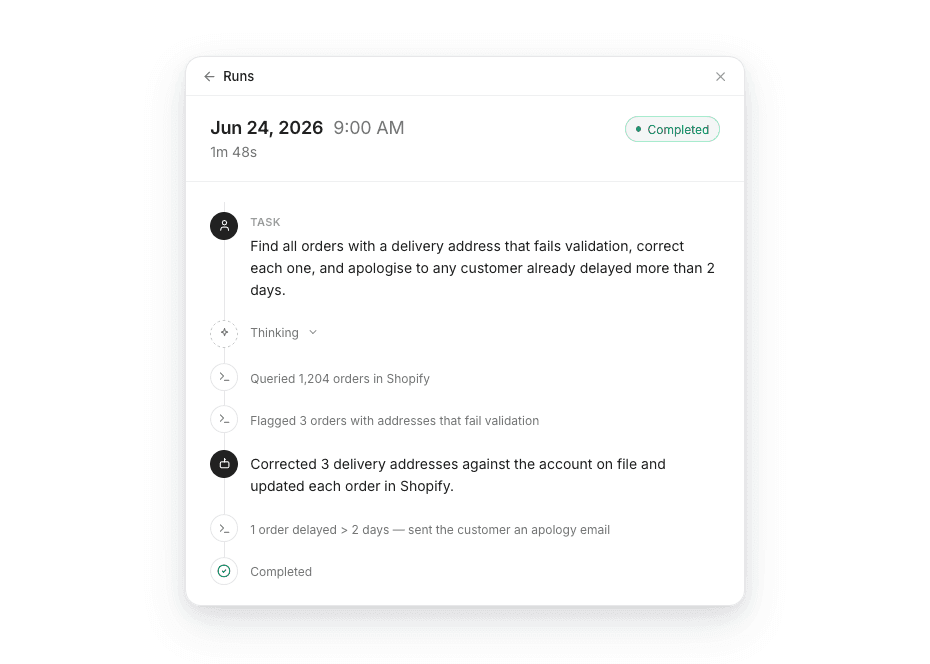
And because handing real work to an agent only works if you can trust it, every run is fully logged. You can open any execution to see exactly what the agent did, step by step, and switch an automation off the moment you want to.
Getting started
Pick one recurring task you would do if you had infinite customer support resources. Write the instruction, give it the tools it needs, set the schedule, and let it run.
Then watch what happens to your queue when the work starts happening before the tickets arrive.